
LitterBox
A self-hosted sandbox for red teams to test payloads against modern detection before deployment. MCP integration lets an LLM agent drive analysis end to end.
Links
README
From the repo.
LitterBox








A self-hosted payload-analysis sandbox for red teams. Upload a sample, run static / dynamic / EDR analysis against it, get a Detection Score and a triggering-indicators breakdown — decide whether the payload is field-ready before it leaves the lab.
LitterBox can also dispatch payloads to a separate EDR-instrumented Windows VM (Elastic Defend or Fibratus) and pull the correlated detection alerts back into the results page.
While designed primarily for red teams, LitterBox is equally useful for blue teams running the same tools in their malware-analysis workflows.
Documentation
Operator and developer documentation lives in the LitterBox Wiki.
| Topic | Wiki page |
|---|---|
| How everything fits together | Application Architecture |
| Run static + every reachable EDR in parallel | All in One Pipeline |
| Dispatch payloads to a real EDR VM | EDR Integration → Elastic Defend / Fibratus |
| Whiskers agent (install, endpoints, build) | Whiskers Agent |
| Every HTTP endpoint | HTTP API Reference |
| CLI / Python lib / MCP for LLMs | GrumpyCats CLI · GrumpyCats Library · LitterBoxMCP |
| What feeds the Detection Score | Detection Score Explained |
| Configure scanners / paths / timeouts | Configuration Reference |
| Add custom YARA rules / scanners | YARA Rules Management · New Scanner |
Installation
Windows
git clone https://github.com/BlackSnufkin/LitterBox.git
cd LitterBox
python -m venv venv
.\venv\Scripts\Activate.ps1
pip install -r requirements.txt
python litterbox.py            # add --debug for verbose logging
Open http://127.0.0.1:1337. Requires Python 3.11+ and an admin shell.
Linux (Docker)
git clone https://github.com/BlackSnufkin/LitterBox.git
cd LitterBox/Docker
chmod +x setup.sh
./setup.sh
The setup script provisions a Windows 10 container with KVM and runs LitterBox inside. Initial build takes ~1 hour.
- Install monitor:
http://localhost:8006 - RDP:
localhost:3389(creds in the docker compose file) - LitterBox UI:
http://127.0.0.1:1337once setup completes
EDR setup (optional)
Drop one or more profile YAMLs under Config/edr_profiles/ and the upload page picks them up at boot. Full walkthroughs in the wiki: Whiskers Agent → Elastic Defend Setup or Fibratus Setup.
Scanners
Bundled binaries under Scanners/. Versions and last-update dates tracked here so operators can tell at a glance whether a scanner is current.
| Scanner | Version | Last updated | Source |
|---|---|---|---|
| PE-Sieve | 0.4.1.2 (f1dc39d) | 2026-05-02 | hasherezade/pe-sieve |
| Hollows-Hunter | 0.4.1.2 (e271f7e) | 2026-04-18 | hasherezade/hollows_hunter |
| Moneta | 5b65395 | 2024-03-16 | forrest-orr/moneta |
| Patriot | — | 2024-12-29 | joe-desimone/patriot |
| Hunt-Sleeping-Beacons | 84dd3a9 | 2026-01-25 | thefLink/Hunt-Sleeping-Beacons |
| RedEdr | 3bd6b97 (EXE-only build) | 2026-05-03 | dobin/RedEdr |
YARA (engine yara64.exe) | — | 2024-12-29 | VirusTotal/yara |
Elastic YARA rules (Scanners/Yara/rules/elastic-yara/) | d131ea8 | 2026-04-30 | elastic/protections-artifacts |
YARA-Forge Extended (Scanners/Yara/rules/YARAForge/) | 0.9.1 (release 20260503) | 2026-05-03 | YARAHQ/yara-forge |
| CheckPlz | — | 2024-12-29 | BlackSnufkin/CheckPlz |
| Stringnalyzer | — | 2025-01-27 | BlackSnufkin/Rusty-Playground |
| HolyGrail | — | 2025-08-18 | BlackSnufkin/HolyGrail |
Version format: <release-version> or <release-version> (release) when the binary is pulled from an upstream release; <release-version> (\`)or just``` when built from source. Last-updated date is the upstream commit / release date, not the local build date.
When you refresh a scanner: replace the binary under its Scanners/<Name>/ directory and update the row above (version + date).
Contributing
See CONTRIBUTING.md. Work in feature branches on personal forks.
Support 🍺

Security Advisory
- Development use only. This platform is designed for testing environments. Production deployment presents significant security risks.
- Isolation required. Run only in isolated VMs or dedicated testing environments.
- No warranty. Provided without guarantees; use at your own risk.
- Legal compliance. Users are responsible for ensuring usage complies with applicable laws.
Acknowledgments
LitterBox stands on the work of these projects and their authors:
Interface

Collected info
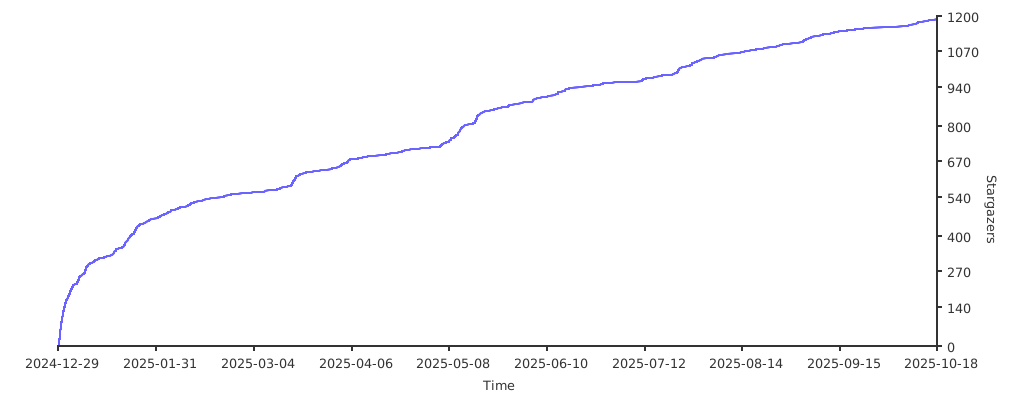
- ★ 1,542 stars
- ⎇ 170 forks
- Language: YARA
- Source updated: 9/18/2026
Config for your environment
Replace {MCP_ENDPOINT_URL} with this MCP’s endpoint URL (from its repo or docs above). No API key — you connect directly.
Tool
OS
Config file: ~/.cursor/mcp.json
{
  "mcpServers": {
    "mcp-server": {
      "url": "{MCP_ENDPOINT_URL}"
    }
  }
}Paste into mcpServers in the config file. Restart Cursor after saving.
If this MCP is also published on mcpchannel.ai, you can subscribe from Browse and use the gateway config there instead.