
X Ads
X Ads MCP server: 25 read tools, 19 opt-in preview-first writes.
Links
README
From the repo.
X Ads MCP server
Bring your X Ads accounts into your MCP client.
Read campaigns and performance, inspect targeting and prepare changes for explicitly selected accounts.




Watch the demo · What's new · Install · Tool reference · Try hosted getmcpads
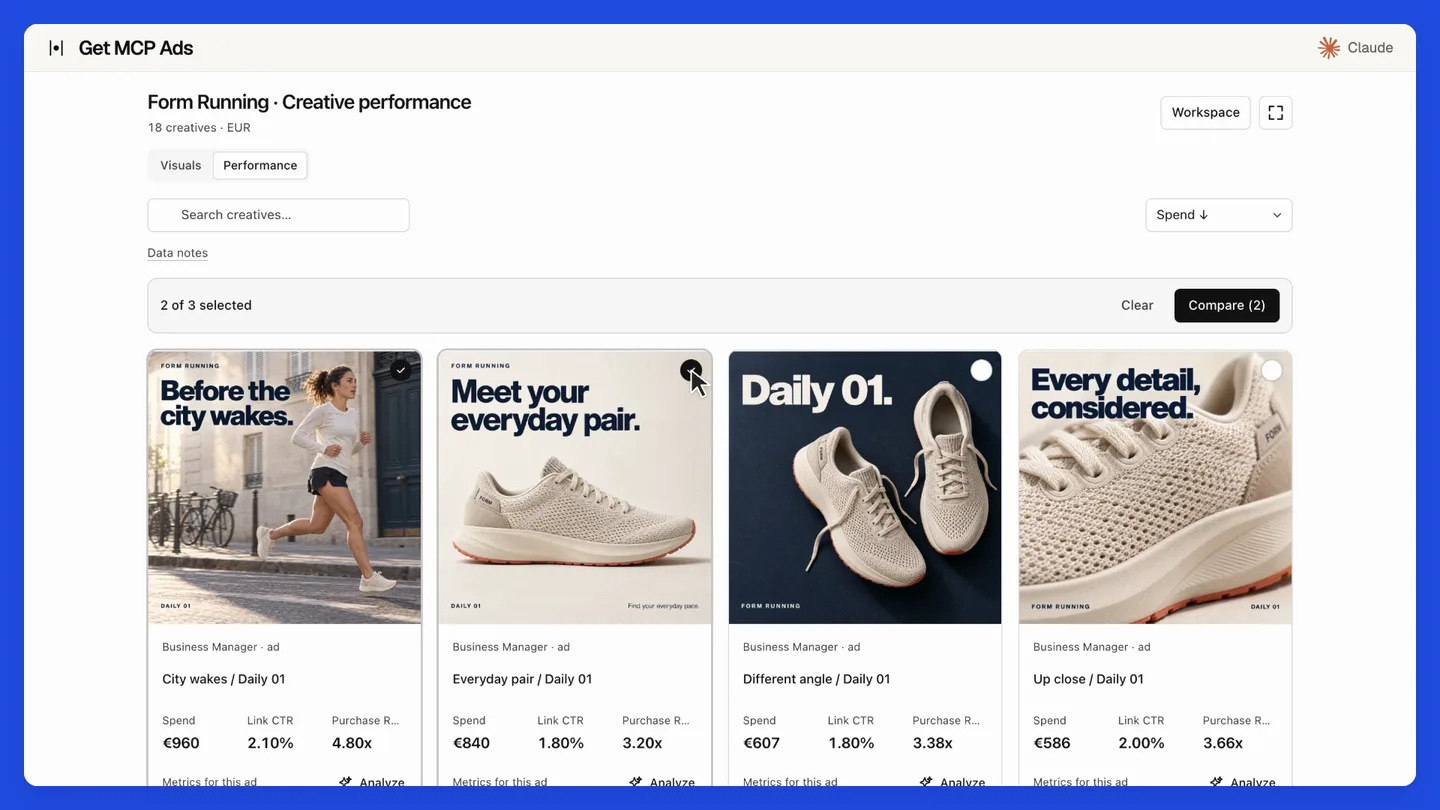
The film demonstrates hosted getmcpads with staged data. Its creative galleries and MCP Apps interface belong to the hosted product. This repository provides the standalone native API tools.
25 read tools · 19 write tools, disabled by default.
Run locally with your own platform credentials and a client that supports stdio MCP, such as Claude Desktop, Claude Code or Cursor. Your requests go directly to the platform. For managed connections, including supported ChatGPT setups, use the hosted option.
What's new
v1.0.1: First standalone release · September 20, 2026
- Create the first runnable standalone server using the reviewed native tool subset.
- Require explicit account IDs, default to read-only, preview writes and preserve native pagination.
- Use fixed X endpoints, bounded responses, timeouts and credential redaction without automatic write retries.
- Require Node.js 22.12 or newer and check Node 22/24 in CI.
- Update vulnerable dependencies and regenerate the MCP catalog.
Full changelog · Source synchronization details · All releases
Upgrade notes
Requires Node.js 22.12 or newer. CI covers Node 22 and 24. Read the current tool schemas before reusing saved arguments. Writes remain optional and require explicit confirmation. Hosted creative integrations and MCP Apps UI are outside this release.
Install this release
This is a GitHub source release. npm and MCP Registry versions are published separately. The commands below select this exact version; unpinned npx examples later in this document select the version currently available on npm.
git clone --branch v1.0.1 --depth 1 https://github.com/get-mcp-ads/x-ads-mcp-server.git
cd x-ads-mcp-server
npm ci
npm run build
Configure your MCP client to run node with the absolute path to dist/cli.js and the platform credentials documented below.
Prefer a managed connection? Use X Ads with hosted getmcpads. Connect your account, select the data your assistant may access and use the hosted MCP connection. See the site for current features and plans.
Configuration
Provide these environment variables through the client's secret configuration:
| Variable | Purpose |
|---|---|
X_ADS_ACCESS_TOKEN | Your user OAuth 2.0 access token. An app-only bearer token is not sufficient. |
X_ADS_ACCOUNT_IDS | Required comma-separated account IDs, restricted to accounts the token may access. |
X_ADS_SCOPES | Scopes actually granted to the token. Defaults to ads.read. |
X_ADS_ENABLE_WRITES | Defaults to false. Only the exact value true exposes writes. |
Obtain your token and Ads Project access using X's official setup guide.
Use ads.read for reporting, ads.write for campaign changes and media.write for uploads and media-library writes.
Setting X_ADS_SCOPES does not grant permissions. This package accepts a token; it does not run an OAuth browser flow or persist rotating refresh tokens. When the token expires, renew it securely and restart the server.
Safety and coverage
Writes preview by default. Review the exact account, target and parameters before repeating the call with confirm: true.
Campaigns and line items are created paused. Activation can spend advertising budget. Media uploads can consume X API credits and are limited to 4 MB.
Do not retry a write automatically when its result is uncertain. Read the account and reconcile it first.
Selected-account checks apply before dispatch and filter account discovery responses. Unknown arguments are rejected.
Native pagination, attribution and monetary _micro fields are preserved. A micro unit is one millionth of the account currency.
This server exposes a reviewed subset of the official API. It does not automatically expose new upstream tools.
Native media reads and writes are included. Hosted creative galleries, visual editors and MCP Apps UI are excluded.
Use tools/list or server-card.json for exact schemas and the official API reference for provider details.
Hosted option
getmcpads for X Ads manages the hosted connection and account selection. Hosted and source releases can differ. Contact: hello@getmcpads.com.
Development
npm run typecheck
npm run lint
npm run build
npm test
npm run catalog
All tests run offline with synthetic responses. No live account is changed.
Tools
Every tool is listed below. See server-card.json for complete parameter and output schemas.
25 read tools
| Tool | Purpose |
|---|---|
x_ads_list_ads_accounts | List the ads accounts the authenticated user can access |
x_ads_list_campaigns | List campaigns for an account |
x_ads_get_campaign | Get a single campaign by ID |
x_ads_list_funding_instruments | List funding instruments (payment sources) for an ads account |
x_ads_list_line_items | List line items (ad groups) for an ads account |
x_ads_get_line_item | Get a single line item by ID |
x_ads_list_promoted_posts | List promoted posts (promoted tweets) for an ads account |
x_ads_list_targeting_criteria | List targeting criteria for an ads account's line items |
x_ads_list_account_posts | List posts (tweets) usable for promotion by an ads account |
x_ads_list_web_event_tags | List the website conversion event tags (pixels) in an ads account; a tag's id is what a conversion line item takes as its primary_web_event_tag |
x_ads_list_line_item_placements | List valid placement combinations per line item product type |
x_ads_get_account_stats | Get synchronous analytics (impressions, engagements, spend) for an ads account |
x_ads_get_active_entities | List which ads entities had metrics change in a time window (use before requesting account stats) |
x_ads_get_campaign_reach | Get reach and average-frequency metrics for campaigns |
x_ads_search_targeting_interests | Search targetable interest categories by name. |
x_ads_search_targeting_locations | Search targetable locations by name. |
x_ads_list_cards | List the cards in an ads account |
x_ads_get_card | Get a single card by ID |
x_ads_list_media_library | List the media library objects in an ads account |
x_ads_get_media_library_item | Get a single media library object by media key |
x_ads_get_promoted_post | Get a single promoted post by ID |
x_ads_get_targeting_criterion | Get a single targeting criterion by ID |
x_ads_list_post_previews | Get rendered HTML previews for published or scheduled posts |
x_ads_get_web_event_tag | Get a single website conversion event tag by ID |
x_ads_get_media_upload_status | Read processing status of an upload owned by the connected X user. |
19 write tools
Disabled by default. Calls preview unless explicitly confirmed. Check the configuration and exact schema before use.
| Tool | Purpose |
|---|---|
x_ads_create_campaign | Create a campaign in an ads account. |
x_ads_update_campaign | Rename a campaign or pause it (entity_status=PAUSED). |
x_ads_activate_campaign | Activate a campaign (set entity_status=ACTIVE). |
x_ads_create_line_item | Create a line item (ad group) under a campaign. |
x_ads_update_line_item | Update a line item's bid, budget, name, schedule, placements, goal, pacing, audience expansion (set audience_expansion=EXPANDED to turn on Optimized Targeting) or entity_status. |
x_ads_activate_line_item | Activate a line item (set entity_status=ACTIVE). |
x_ads_promote_post | Attach post(s) to a line item as its ad creative(s). |
x_ads_add_targeting_criterion | Add one targeting criterion to a line item (call once per criterion). |
x_ads_remove_targeting | Remove a targeting criterion from its line item (undo a targeting mistake). |
x_ads_create_ad_post | Compose a promoted-only ("nullcasted") post to use as an ad creative. |
x_ads_create_card | Create a card from a JSON components payload. |
x_ads_delete_card | Delete a card from an ads account. |
x_ads_create_media_library_item | Register an existing media key as a named item in the account's media library. |
x_ads_delete_media_library_item | Delete a media library object from an ads account Preview by default. |
x_ads_update_media_library_item | Update a media library object's metadata (e.g. name, title, description) Preview by default. |
x_ads_create_web_event_tag | Create a website conversion event tag (pixel); the returned id can be set as a line item's primary_web_event_tag Preview by default. |
x_ads_delete_web_event_tag | Delete a website conversion event tag Preview by default. |
x_ads_update_web_event_tag | Update a website conversion event tag Preview by default. |
x_ads_upload_media | Upload an image, GIF or MP4 clip to X. |
License
Apache License 2.0. See NOTICE.
More from getmcpads
Meta Ads · Google Ads · Google Analytics 4 · Google Search Console · TikTok Ads · Pinterest Ads
Maintained by Emmanuel at getmcpads. Questions: hello@getmcpads.com.
Config for your environment
Replace {MCP_ENDPOINT_URL} with this MCP’s endpoint URL (from its repo or docs above). No API key — you connect directly.
Tool
OS
Config file: ~/.cursor/mcp.json
{
  "mcpServers": {
    "mcp-server": {
      "url": "{MCP_ENDPOINT_URL}"
    }
  }
}Paste into mcpServers in the config file. Restart Cursor after saving.
If this MCP is also published on mcpchannel.ai, you can subscribe from Browse and use the gateway config there instead.