
← Discover MCPs and Agents
a
MCPAI & MLMCP Registry
ai.smithery/blbl147-xhs-mcp
搜索笔记、浏览首页推荐、查看笔记内容与评论,并发表你的评论。直接在工作流中与小红书内容互动,高效跟进话题。
Links
README
From the repo.
小红书MCP服务
特点
- 采用js逆向出x-s,x-t,直接请求http接口,无须笨重的playwright
- 搜索笔记
- 获取笔记内容
- 获取笔记的评论
- 发表评论
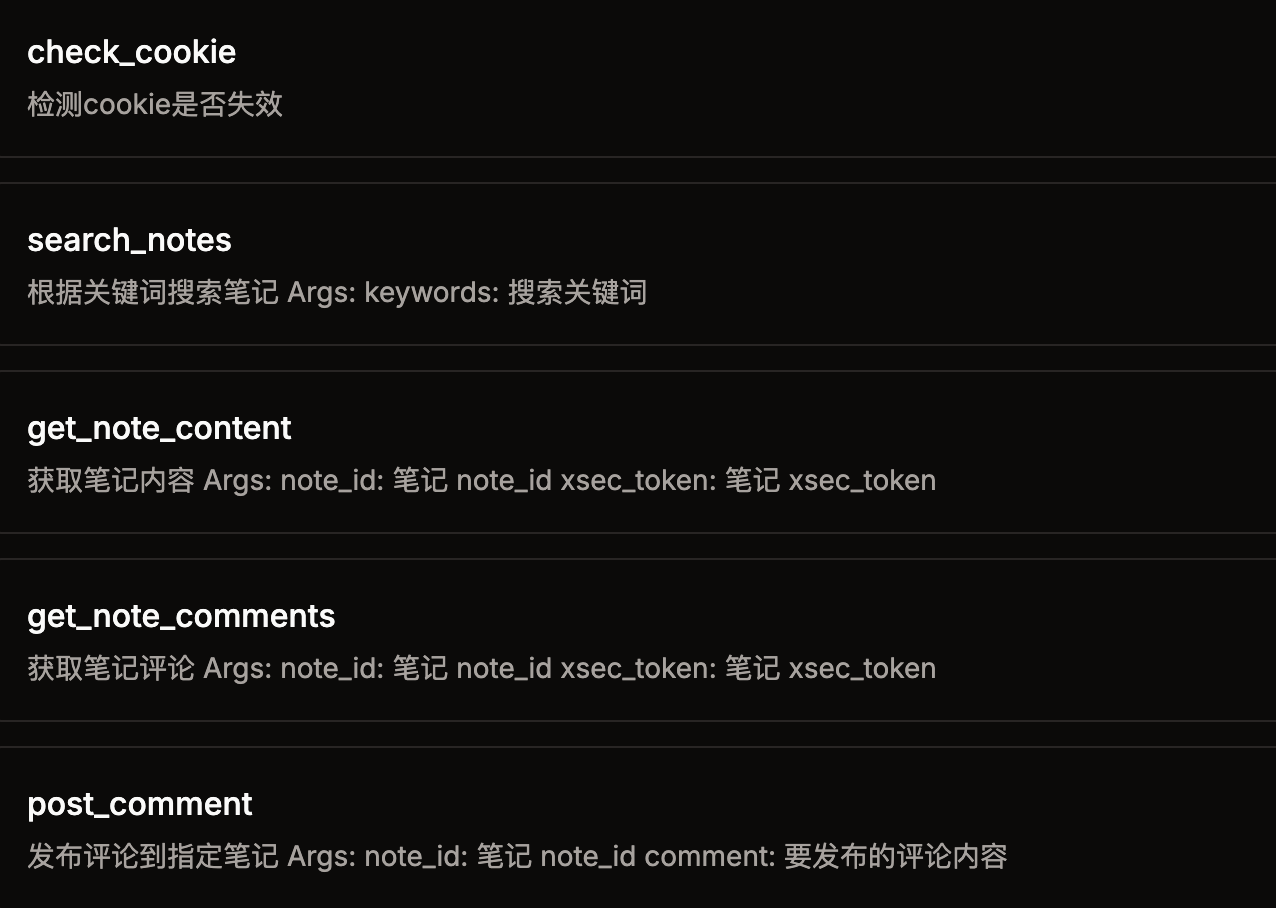
快速开始
1. 环境
- node
- python 3.12
- uv (pip install uv)
2. 安装依赖
git clone git@github.com:jobsonlook/xhs-mcp.git

cd xhs-mcp
uv sync
3. 获取小红书的cookie
打开web小红书
登录后,获取cookie,将cookie配置到第4步的 XHS_COOKIE 环境变量中
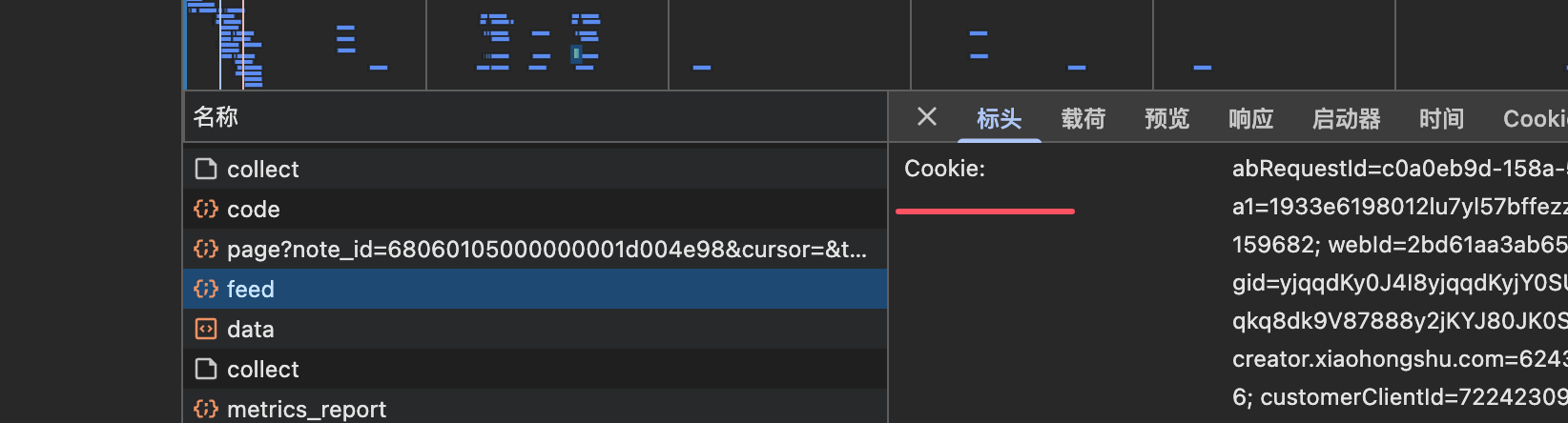
4. 配置mcp server
{
    "mcpServers": {
        "xhs-mcp": {
            "command": "uv",
            "args": [
                "--directory",
                "/Users/xxx/xhs-mcp",
                "run",
                "main.py"
            ],
            "env": {
                "XHS_COOKIE": "xxxx"
            }
        }
    }
}
免责声明
本项目仅用于学习交流,禁止用于其他用途,任何涉及商业盈利目的均不得使用,否则风险自负。
Config for your environment
Use the endpoint URL below in your config. No API key — you connect directly.
Tool
OS
Config file: ~/.cursor/mcp.json
{
  "mcpServers": {
    "mcp-server": {
      "url": "https://server.smithery.ai/@blbl147/xhs-mcp/mcp"
    }
  }
}Paste into mcpServers in the config file. Restart Cursor after saving.
If this MCP is also published on mcpchannel.ai, you can subscribe from Browse and use the gateway config there instead.