
minimax-code
An open-source coding agent for your terminal, powered by MiniMax.
Links
README
From the repo.

MiniMax Code
A terminal coding agent with MiniMax, your own models, and tools beyond code.
Get started · Documentation · Examples · Contributing
English · 简体中文


Understand a project, make changes, and run tests from your terminal. Use your MiniMax account or bring your own model, with search, plugins, and multimodal tools in the same workflow.

Watch the 20-second demo → · Real terminal output, with pauses shortened
Quick start
1. Install MCode
Use the official installer for your platform. It installs the latest CLI, prepares a compatible Node.js runtime when needed, and does not require sudo or administrator privileges. Alpine / musl Linux is not supported by the one-command installer.
macOS / Linux / WSL
curl -fsSL https://filecdn.minimax.chat/public/install.sh | bash
Windows (PowerShell)
irm https://filecdn.minimax.chat/public/install.ps1 | iex
The scripts install into ~/.minimax-code on macOS / Linux / WSL and %USERPROFILE%\.minimax-code on Windows. The launchers are bin/mcode and bin/mcode-tools on POSIX, or mcode.cmd / mcode.ps1 and mcode-tools.cmd / mcode-tools.ps1 on Windows. Set MCODE_INSTALL_DIR before installation to choose a different location. See Uninstall to remove the CLI.
npm — if you already have Node.js 22.19+ (22.x), 24.2+ (24.x), 25, or 26:
npm install -g @minimax-ai/code@latest --registry=https://registry.npmjs.org/ --ignore-scripts=false --include=optional --allow-scripts=@minimax-ai/code,better-sqlite3
The npm command uses the public registry, includes the optional SQLite dependency, and permits the package and SQLite installation scripts. See the installation guide for version pinning and Node.js compatibility.
Reopen your terminal and check the installation:
mcode --version
mcode --help
See the official quick start, features, and troubleshooting.
2. Sign in or bring your own API key
For a mainland China account:
mcode login
For a Global account:
mcode login --region global
Complete sign-in in your browser, then open mcode and use /status to check your account and /provider to choose a model. Run mcode logout to sign out.
Token Plan requires an account with available credits. Builds from this repository and the published npm CLI @minimax-ai/code@0.4.12 default to ~/.minimax for user data (or ~/.minimax-<profile> when a profile is selected). MINIMAX_DATA_DIR or MAVIS_DATA_DIR can override the data directory. The installer's ~/.minimax-code installation directory is separate from this choice. See Accounts and data before locating or removing configuration and sessions.
Use your own API key (BYOK)
BYOK does not require a MiniMax login. Set MCODE_PROVIDER_API_KEY in your current shell, then add a provider. Replace the example URL and model name with your provider's values:
mcode provider add --name my-provider --base-url https://example.com/v1 \
  --api-format openai-completions --model my-model \
  --api-key-env MCODE_PROVIDER_API_KEY --use
mcode
--use tests the first listed model before saving and selecting it. A failed connection test saves nothing. Omit --use to save without testing or changing the default model. For custom/local models, add --context-limit 32768 --output-limit 4096 (use your server's actual limits). Each value must be a positive safe integer and applies to every repeated --model. Inspect configured limits with mcode provider list --json. Omitting these flags preserves the existing model-limit defaults.
Supported API formats: openai-completions, openai-responses, and anthropic-messages. See the model examples for environment variable setup, connection checks, and model overrides for a single run.
Providers added this way are stored under custom_provider in the active profile's config.yaml; this is the supported path for third-party or self-hosted endpoints, while minimax_api stays reserved for the official MiniMax API. Relays that require Authorization: Bearer on an Anthropic-compatible endpoint can set custom headers in config.yaml; see Third-party relays and custom auth headers.
3. Run your first task
Open the project you want to work on:
cd /path/to/your/project
mcode
Describe your task in the TUI, or submit it directly when you launch MCode:
mcode "Find a failing test, fix the implementation, and run the relevant tests."
Use mcode init . to generate or update project guidance in AGENTS.md. Describe the expected result, allowed changes, and how to verify the task.
| Entry point | Command | Use it for |
|---|---|---|
| Interactive TUI | mcode [prompt] | Explore code, continue a conversation, and review changes or permissions. |
| Headless | mcode exec [prompt] | Shell scripts, CI, batch work, and evaluations. |
| ACP | mcode acp | Editors and clients supporting Agent Client Protocol. |
Continue your work
# Resume the latest session in the current workspace
mcode --continue

# Open the session picker
mcode --session
Inside the TUI, use /sessions to find previous sessions and /help to see all commands and shortcuts.
| Action | Shortcut |
|---|---|
| Send a message or steer the running task | Enter |
| Queue a follow-up while a task is running | Alt+Enter |
| Insert a newline | Shift+Enter |
| Reference a workspace file or directory | @ |
| Toggle Plan Mode | Shift+Tab |
| Switch permission modes | Alt+M |
| Close a panel or interrupt a running task; interrupting before the model replies returns the message to the composer | Esc |
Uninstall
Close running MCode sessions, including editor integrations, before uninstalling. First locate the command with command -v mcode (macOS / Linux / WSL) or Get-Command mcode -All (PowerShell), then follow the matching installation method below. The current official install scripts do not provide an uninstall flag.
Installed with the script
The commands below remove the default installation directory, including both launchers, downloaded releases, and any installer-managed Node.js runtime. If you used MCODE_INSTALL_DIR, substitute the actual installation directory. Inspect it first: earlier source builds used ~/.minimax-code for user data, and a custom data directory can overlap the installation. Back up any configuration or sessions you want to keep before deleting it.
macOS / Linux / WSL
rm -rf -- "$HOME/.minimax-code"
Remove the # MiniMax Code CLI comment and its following PATH line from the shell file the installer updated: ~/.zshrc for zsh; the first existing file among ~/.bashrc, ~/.bash_profile, and ~/.profile for bash (or a newly created ~/.bashrc); ~/.config/fish/config.fish for fish; or ~/.profile for other shells. The line is export PATH="/absolute/install/path/bin:$PATH", or fish_add_path -g "/absolute/install/path/bin" for fish. Remove only the MCode entry, preserving other PATH settings. The installer skips this edit when MCODE_NO_MODIFY_PATH is set or the path is already present.
Windows (PowerShell)
Remove-Item -LiteralPath "$env:USERPROFILE\.minimax-code" -Recurse -Force
Open Edit environment variables for your account, edit the user Path, and remove only the installation directory entry (by default %USERPROFILE%\.minimax-code, which may appear as an expanded absolute path). The Windows installer updates the user Path, not the PowerShell profile; MCODE_NO_MODIFY_PATH skips that persistent update.
Installed with npm or from source
For a global npm installation, use the same npm installation/prefix you used to install MCode:
npm uninstall -g @minimax-ai/code
For a source build, save any work and remove only the checkout you created; see Update or remove.
After uninstalling, reopen your terminal (fully restart the editor for integrated terminals) and run command -v mcode or Get-Command mcode -All again. No result means the command is no longer on PATH. If another copy appears, identify its installation method before removing it.
Optional: delete user data
Removing the program leaves separately stored user data in place. To also delete local login state, provider configuration, caches, and sessions, first confirm the selected directory using Accounts and data and back up anything you need. Other MCode installations can share this directory. For the default ~/.minimax directory only:
# macOS / Linux / WSL — permanently deletes the default user data
rm -rf -- "$HOME/.minimax"
# Windows — permanently deletes the default user data
Remove-Item -LiteralPath "$env:USERPROFILE\.minimax" -Recurse -Force
A profile uses ~/.minimax-<profile>; MINIMAX_DATA_DIR or MAVIS_DATA_DIR can select a different location. Remove only the specific directories you intend to discard, without wildcard deletion. Remove any MCode-specific environment variable assignments you added to shell profiles or user environment settings if you no longer need them.
What you can do
| Task | Capabilities |
|---|---|
| Edit and verify code | Read files, inspect diffs, run shell commands and tests, and control tool execution with permissions and sandboxing. |
| Choose your model | Use a MiniMax account / Token Plan, or custom providers with OpenAI- or Anthropic-compatible API formats. |
| Search and work with media | Use built-in search, mcode-tools media tools, MCP, and managed connectors, subject to account access and service credits. |
| Keep work moving | Resume sessions, plan tasks, use subagents, and extend the agent with official, local, or GitHub plugins and built-in skills. |
| Connect your workflow | Run scripted tasks with the headless CLI, or connect compatible editors and clients through ACP. |
Account features, updates, feedback, and diagnostics are also included. Managed tools require network access and the relevant authorization. See capabilities and service boundaries for details.
Try it
Start the TUI in a copy of the example project and enter:
Read clamp.mjs and clamp.test.mjs. Run node --test to reproduce the failure, fix clamp without changing the tests, then run the tests again.
The small, reproducible project is the same task used in the demo above. More examples cover switching models, calling real search, and using your own image inputs.
Build from source
To develop MCode or run this source checkout, you need Git, Node.js 22.19+ (22.x), 24.2+ (24.x), 25, or 26, and pnpm 9.12.0. On Windows, keep the checkout on a local NTFS volume and outside cloud-synced folders; the preflight command below checks the volume before pnpm creates workspace links.
git clone https://github.com/MiniMax-AI/minimax-code.git
cd minimax-code
node scripts/check-windows-source-location.mjs
pnpm install --frozen-lockfile
pnpm build
pnpm mcode
The first build requires an internet connection. Dependencies and the integrity-checked mcode-tools bundle come from public npm. See the source installation guide for pnpm setup, system dependencies, and updates.
From the source directory, use pnpm mcode in place of mcode in the examples above. To work on your own project, open its directory and launch the built CLI:
node /absolute/path/to/minimax-code/dist/cli.js
This repository targets the 0.4.12 source preview. Installing the published package and building this checkout are separate paths. Matching versions do not prove identical build provenance; see the version and evidence baseline.
Documentation and contributing
- Installation and updates · Examples · TUI status line
- Contributor guide · Report a bug or propose an idea · Report a security issue
- All documentation: architecture, capability coverage, verification records, source synchronization, and release preparation.
English is the primary documentation language. The Chinese README mirrors this page.
For now, code and documentation pull requests are accepted only from repository collaborators. If you are not a collaborator but have an idea or proposal, please open an issue so we can discuss it. Remove secrets, account details, and private project content from reports.
Desktop app and support
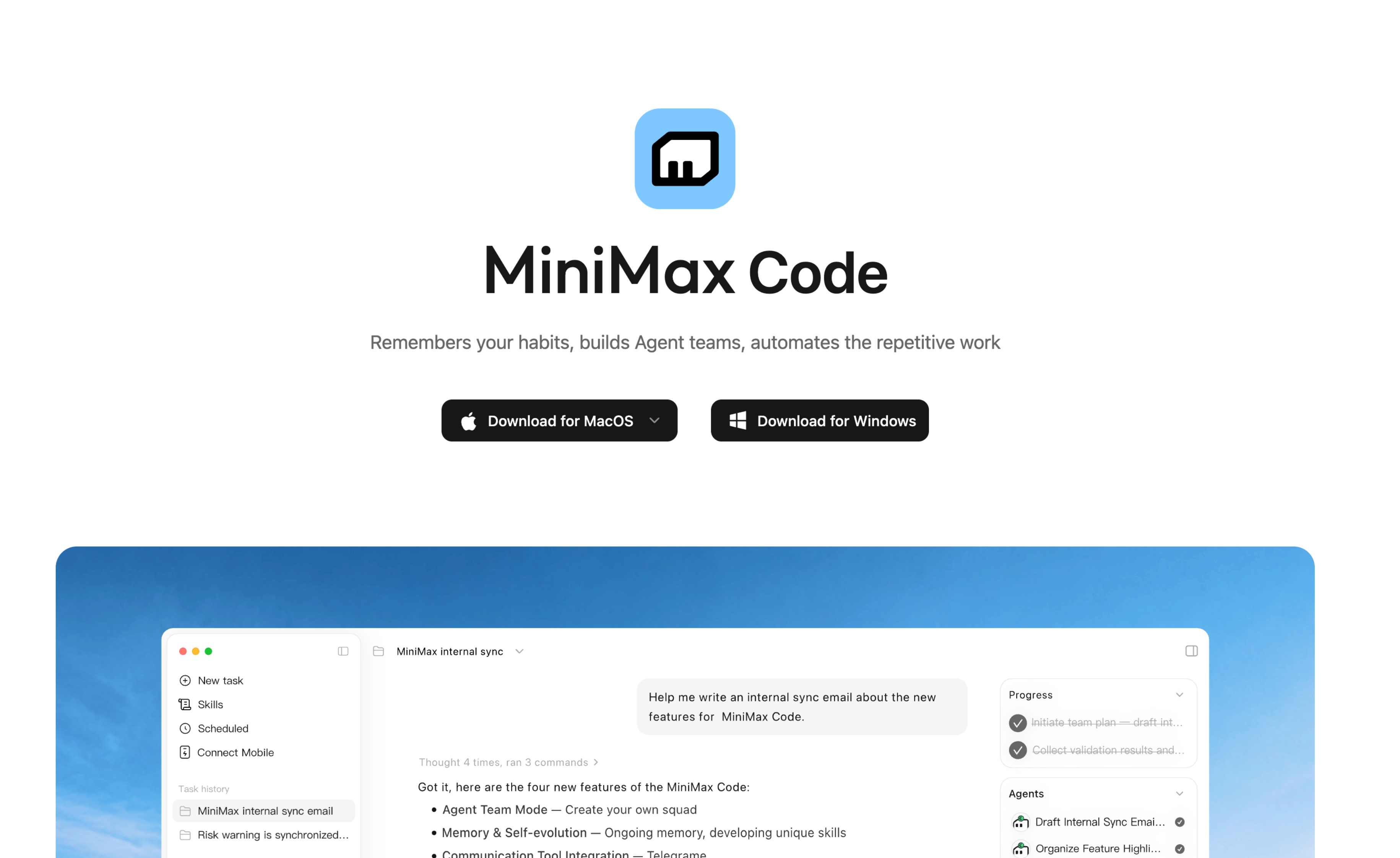
Download for macOS or Windows · Report a problem or ask a question
This repository also hosts issue reporting for the MiniMax Code desktop app. The published source covers the terminal TUI, headless CLI, and ACP; it does not include the desktop application's source. Select the affected product when filing an issue. For a desktop bug, include the app version, operating system, and a log upload ID if available from Settings → General → Upload logs. For a CLI bug, include mcode --version, your interface, and a minimal reproduction. Remove credentials and private project content from reports.
License
First-party code defaults to MIT. Existing file-level and package-level licenses remain in place. See third-party notices and license status for dependencies, assets, and mcode-tools.
Collected info
- ★ 1,824 stars
- ⎇ 213 forks
- Language: TypeScript
- Source updated: 9/25/2026
Config for your environment
Replace {MCP_ENDPOINT_URL} with this MCP’s endpoint URL (from its repo or docs above). No API key — you connect directly.
Tool
OS
Config file: ~/.cursor/mcp.json
{
  "mcpServers": {
    "mcp-server": {
      "url": "{MCP_ENDPOINT_URL}"
    }
  }
}Paste into mcpServers in the config file. Restart Cursor after saving.
If this MCP is also published on mcpchannel.ai, you can subscribe from Browse and use the gateway config there instead.