
ai-cli-orchestrator
Windows PowerShell dispatcher for local AI CLIs, with explicit worker selection, capability checks, bounded runs and structured execution evidence.
Links
README
From the repo.
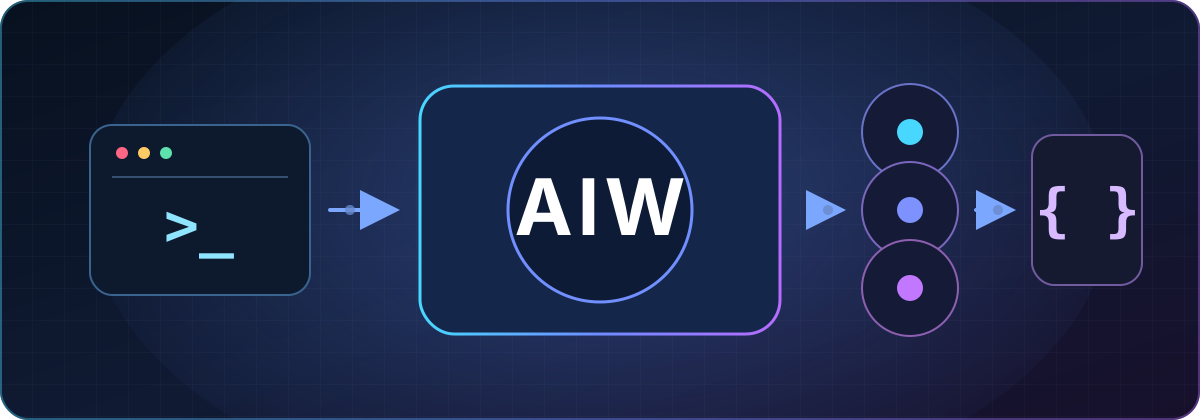
AI CLI Orchestrator
Turn the AI CLIs you already use into bounded, auditable workers.
Explicit routes, native authentication, and structured evidence — without a credential broker or a shell-script free-for-all.





简体中文 · Quick start · How it works · Safety · Documentation
AI CLI Orchestrator (aiw) is a provider-neutral Windows PowerShell dispatcher
for humans and orchestrators such as Codex. Define local CLI instances as
workers, arrange them in ordered profiles, and map explicit task
routes to capability requirements. AIW stores no provider credentials; its
generic schema-v2 surface ships no hidden provider preference. A worker's
success is transport evidence; you or Codex still review the work and make the
final acceptance decision.
Why AIW
If you already pay for several AI CLI plans, the hard part is rarely access — it is using them consistently without turning your machine into a pile of provider-specific scripts.
- Bring your own CLIs. Keep each provider's native login and profile; AIW stores no keys.
- Make routing explicit. Capability checks happen before your declared worker order; prompts are never silently classified.
- Bound every run. One deadline, bounded streams, guarded temporary files, and Windows process-tree termination contain each invocation.
- Keep evidence. Schema-v2 JSON records selection, skips, attempts, failures, and cleanup state.
AIW is deliberately not an API proxy, credential vault, autonomous task classifier, or arbitrary command runner. Schema-v2 configuration can select reviewed adapters; it cannot define commands, argument templates, hooks, scripts, arbitrary environment maps, or provider endpoints.
Quick start
1. Install
Requirements: Windows PowerShell 5.1 or PowerShell 7, Git, and at least one supported CLI that you installed and authenticated independently. Git also provides isolated worktrees for write tasks.
$ErrorActionPreference = 'Stop'
$repoRoot = Join-Path (Get-Location) 'ai-cli-orchestrator'
if (Test-Path -LiteralPath $repoRoot) {
  throw "Refusing to replace existing path: $repoRoot"
}
git clone https://github.com/Zhi-Chao-PAN/ai-cli-orchestrator.git $repoRoot
if ($LASTEXITCODE -ne 0) {
  throw "git clone failed with exit code $LASTEXITCODE"
}
Set-Location -LiteralPath $repoRoot
.\install.ps1 -AddToPath -InstallCodexSkill

$aiwPath = Join-Path $env:LOCALAPPDATA 'aiw\bin\aiw.ps1'
& $aiwPath catalog -Json
-AddToPath applies to new terminals. This walkthrough keeps using the
explicit $aiwPath, so it works immediately. catalog is a local probe and
does not contact a model service.
2. Create an explicit configuration
Fresh installs are deny-by-default: they do not copy a maintainer config or invent a provider order. Start from the reviewed examples and keep only the CLIs you use:
$repoRoot = (Resolve-Path '.').Path
$aiwPath = Join-Path $env:LOCALAPPDATA 'aiw\bin\aiw.ps1'
$configDirectory = Join-Path $env:USERPROFILE '.aiw'
$configPath = Join-Path $configDirectory 'config.json'
New-Item -ItemType Directory -Force $configDirectory | Out-Null
if (Test-Path -LiteralPath $configPath) {
  throw "Refusing to overwrite existing config: $configPath"
}
Copy-Item (Join-Path $repoRoot 'examples\profiles\supported-clis.example.json') $configPath
Edit the copied file, remove unused worker/profile/route blocks together, and replace model placeholders where required. Then validate it before the first run:
$aiwPath = Join-Path $env:LOCALAPPDATA 'aiw\bin\aiw.ps1'
$configPath = Join-Path $env:USERPROFILE '.aiw\config.json'
& $aiwPath config -Action validate -ConfigPath $configPath -Json
The example contains independent Claude Code, Google Antigravity, and MiniMax workers with no default selection. See the profile guide before combining them.
3. Dispatch a bounded work order
Use a UTF-8 prompt file for every non-trivial task. The repository includes a work-order template for scope, forbidden changes, and acceptance commands.
Copy the template outside the repository, edit it, inspect the configured
worker IDs, then replace <worker-id> in the final command:
$repoRoot = (Resolve-Path '.').Path
$aiwPath = Join-Path $env:LOCALAPPDATA 'aiw\bin\aiw.ps1'
$promptPath = Join-Path $env:TEMP 'aiw-work-order.md'
if (Test-Path -LiteralPath $promptPath) {
  throw "Refusing to overwrite existing work order: $promptPath"
}
Copy-Item (Join-Path $repoRoot 'WORK_ORDER_TEMPLATE.md') $promptPath
notepad.exe $promptPath

& $aiwPath status -OutputSchema 2 -Json
& $aiwPath run -Worker '<worker-id>' -PromptFile $promptPath -Mode read -WorkingDirectory $repoRoot -Json
Every call selects exactly one worker, profile, or route. The profile guide shows how to promote a healthy worker into ordered profiles and explicit routes.
Without an explicit selector or configured default, run returns
SELECTION_REQUIRED. It never silently picks a provider.
How it works
flowchart TD
    A[Human or Codex] -->|bounded work order| B[Route and capability requirements]
    B --> C[Eligible workers in profile order]
    C --> D[Reviewed adapter and native CLI]
    D --> E[Schema-v2 result]
| Concept | Meaning |
|---|---|
| Adapter | Versioned source code shipped with AIW that translates one stable request into one reviewed CLI invocation. |
| Worker | A named local adapter instance with a model, executable path, native profile reference, and capability subset. |
| Profile | Your ordered worker list plus a narrow read-only fallback policy. The order belongs to you, not AIW. |
| Route | An explicit task class that chooses one profile and declares required capabilities and allowed modes. Routes do not inspect prompt meaning. |
Selection is deterministic: AIW resolves the selector, combines route/mode requirements, removes unavailable or capability-ineligible workers, preserves the remaining profile order, and runs inside one total timeout budget.
read is a side-effect ceiling, not an implicit request for workspace.read.
Write always requires an explicit -Mode write. After a write worker starts,
AIW never starts a second worker automatically.
Reviewed adapters
claude-code/v1 — Claude Code
Maximum reviewed capabilities: text.reason, workspace.read,
workspace.write. Prompts use standard input. Compatible endpoints must stay
isolated in native Claude profiles. Official CLI reference.
antigravity/v1 — Google Antigravity CLI (agy)
Maximum reviewed capabilities: text.reason, context.long,
workspace.read, workspace.write. Prompts use a controlled temporary file.
Official documentation.
minimax-cli/v1 — MiniMax CLI (mmx)
Maximum reviewed capabilities: text.reason, quota.read. Prompts use a
controlled temporary JSON file. Official CLI guide.
These are the reviewed surfaces in v0.3. “Provider-neutral” does not mean “run any command from JSON.” Adding another provider requires a reviewed, versioned source adapter and deterministic tests. MiniMax currently has no reviewed workspace capability, so it cannot satisfy repository read/write routes.
The maintainer's Google → MiniMax → Ark Coding → Ark Agent → metered DeepSeek policy is available only as an optional showcase. It is neither installed nor selected by default.
Safety model
AIW narrows orchestration risk; it does not claim to sandbox a malicious local binary, native provider profile, hook, or plugin. Those remain trusted local dependencies.
- Provider credentials stay in each CLI's native store. Never put keys, tokens, cookies, passwords, or authorization values in AIW JSON.
- Schema v2 accepts policy data only. Unknown fields, secret-like names, commands, scripts, arbitrary endpoints, capability escalation, and unsafe launchers fail closed.
- Non-trivial prompts travel through UTF-8 stdin or AIW-owned temporary files, not provider argv. Schema-v2 work orders are bounded to 1 MiB.
- Standard output and error remain separate. Valid JSON stdout becomes structured output; other stdout remains text. Provider stderr is withheld from public diagnostics.
- Each output stream is capped at 16 MiB. Overflow returns
output_limit/OUTPUT_LIMIT, terminates the Windows process tree, and publishes no captured provider output. - Timeout and successful-root completion both close the contained process tree. Temporary artifacts and environment overlays are guarded and cleaned.
doctor -OutputSchema 2resolves approved executables and checks only whether supported native profile directories exist. It does not open profiles, inspect credentials or hooks, or prove a live login.- A worker's self-report is never final acceptance. Review the files, diff, tests, and task-specific evidence yourself.
Read the full security and trust boundary before enabling write routes or third-party native profiles.
Configuration and compatibility
The neutral v2 configuration shape is intentionally small:
{
  "schemaVersion": 2,
  "defaultRoute": null,
  "defaultProfile": null,
  "workers": {},
  "profiles": {},
  "routes": {}
}
Only one of defaultRoute and defaultProfile may be set. Configuration lookup
is explicit -ConfigPath, then AIW_CONFIG_PATH, then the user-level AIW
path. Repository-local configuration is never auto-loaded.
Legacy v0.2 aliases (status, doctor, ark, agent, google, minimax,
and quota) and schema-v1 envelopes remain supported. Generic v2 run does
not silently normalize a v1 file. The frozen compatibility facade retains its
historical model defaults, Ark fallback, and legacy MiniMax endpoint fields;
none becomes a generic v2 default. Migrate a v1 config non-destructively:
aiw config -Action migrate `
  -ConfigPath 'C:\path\to\v1-config.json' `
  -Destination 'C:\path\to\new-v2-config.json' `
  -Json
The source is never modified and an existing destination is never overwritten.
Documentation
| Need | Start here |
|---|---|
| Configure one CLI or build a profile | Profile examples |
| Adapt the maintainer's paid-plan strategy | Optional showcase |
| Write a bounded task | Work-order template |
| Understand the exact v0.3 contract | Generic orchestration specification |
| Review trust boundaries or report a vulnerability | Security policy |
| Add an adapter or change runtime behavior | Contributing guide |
| Read this page in Chinese | 简体中文 |
Verify, upgrade, and uninstall
Run these commands from a source checkout or extracted release. They are not copied into the installed application directory:
# Deterministic regression and installer lifecycle suites
.\tests\ai-workers.tests.ps1
.\tests\install-lifecycle.tests.ps1

# Upgrade an AIW-owned installation; existing user config is preserved
.\install.ps1 -Force -AddToPath -InstallCodexSkill

# Guarded uninstall; user config is preserved by default
.\uninstall.ps1
CI runs the full suites and a credential-like literal scan under both Windows
PowerShell 5.1 and PowerShell 7. Release acceptance additionally requires a
fresh Codex task, installed-file hash checks, global skill discovery, and one
bounded read-only call ending in explicit COLD_START_PASS or an
evidence-backed failure.
Contributing
Contributions are welcome, especially reviewed adapters, deterministic abuse tests, clearer examples, and documentation improvements. Please read CONTRIBUTING.md before opening a pull request; execution surface changes have stricter evidence requirements than ordinary config examples.
If AIW helps you use the CLI subscriptions you already have without hiding routing or weakening boundaries, consider starring the repository — it helps other Windows agent builders find the project.
License
MIT. See LICENSE.
Collected info
- ★ 0 stars
- Language: PowerShell
- Source updated: 9/12/2026
Config for your environment
Replace {MCP_ENDPOINT_URL} with this MCP’s endpoint URL (from its repo or docs above). No API key — you connect directly.
Tool
OS
Config file: ~/.cursor/mcp.json
{
  "mcpServers": {
    "mcp-server": {
      "url": "{MCP_ENDPOINT_URL}"
    }
  }
}Paste into mcpServers in the config file. Restart Cursor after saving.
If this MCP is also published on mcpchannel.ai, you can subscribe from Browse and use the gateway config there instead.