
llm-council
Get a council of LLMs to advise consult for you! A plugin for the llm cli utility
Links
README
From the repo.
llm-council
Get a council of LLMs to advise consult for you!
Installation
This plugin should be installed in the same environment as LLM.
llm install llm-council
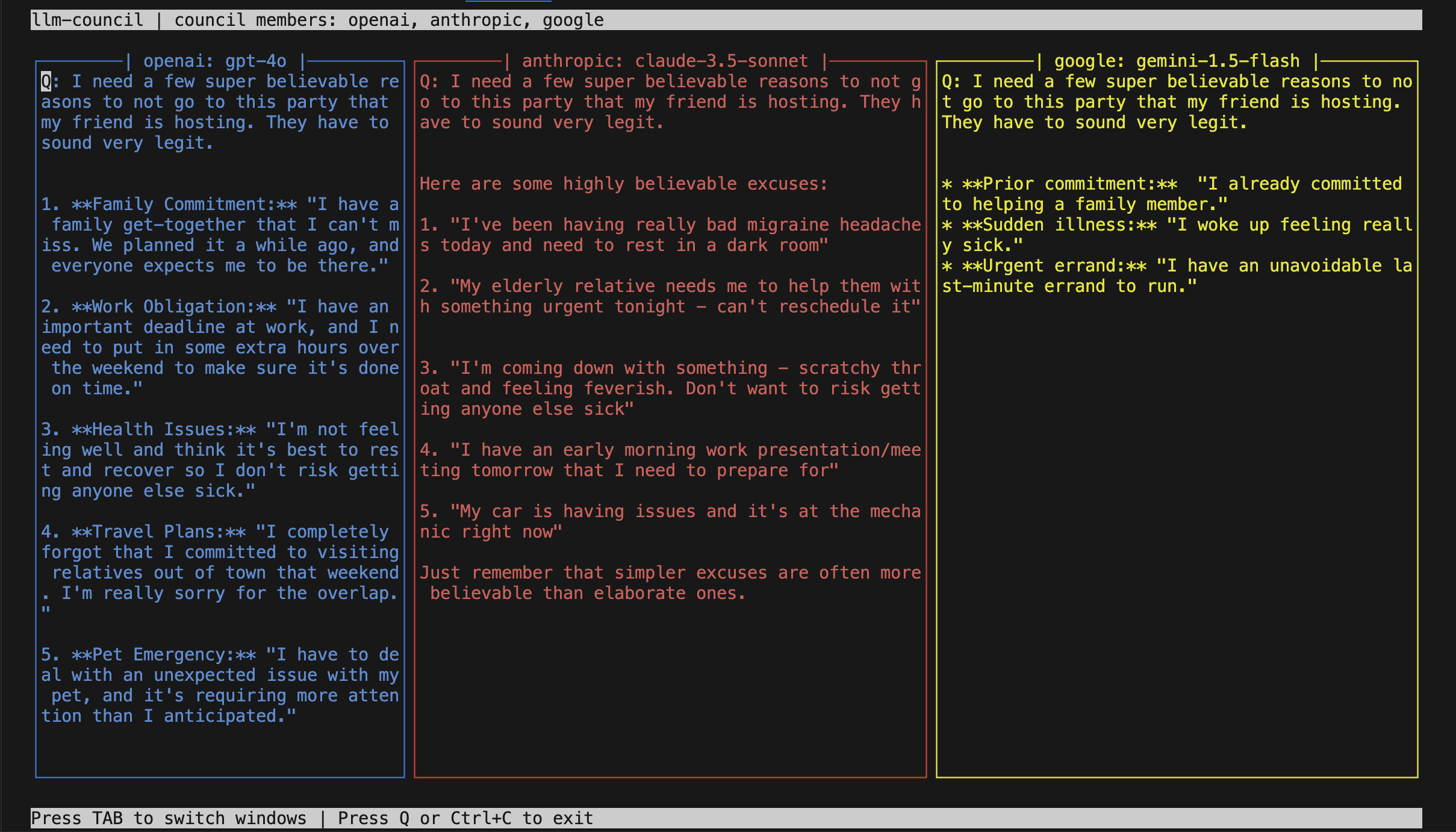
Supported models/providers
The models themselves are fixed as of now with:
openai:gpt-4oanthropic:clause-3.5-sonnetgoogle:gemini-1.5-flash-latest
The necessary llm plugins are already installed. But you still need to set the keys
llm keys set openai
llm keys set claude
llm keys set gemini
Usage
I usually run every query on all LLMs just to see what they have to say. And I love the llm library. You can now assemble your own council of advisors by simply running llm council like this:
llm council 'whats the california traffic law around double white lines?'
By default, it uses openai and anthropic. But you can specify the providers by:
llm council -p openai -p anthropic 'tell me a joke'
Press Q or Ctrl + C to exit.
The system prompt
This is the prompt used by this tool:
Keep your answers brief and to the point.
Feel free to modify it by passing the --system arg.
Development
To set up this plugin locally, first checkout the code. Then create a new virtual environment:
cd llm-council
uv venv
source .venv/bin/activate

uv pip install -r pyproject.toml
Now install the plugin with:
llm install -e .
Collected info
- ★ 16 stars
- ⎇ 1 forks
- Language: Python
- Source updated: 2/5/2026
Config for your environment
Replace {MCP_ENDPOINT_URL} with this MCP’s endpoint URL (from its repo or docs above). No API key — you connect directly.
Tool
OS
Config file: ~/.cursor/mcp.json
{
  "mcpServers": {
    "mcp-server": {
      "url": "{MCP_ENDPOINT_URL}"
    }
  }
}Paste into mcpServers in the config file. Restart Cursor after saving.
If this MCP is also published on mcpchannel.ai, you can subscribe from Browse and use the gateway config there instead.