
agentgate
Permission gateway for AI agents — enforce per-tool access control on any MCP server (GitHub, Stripe, Slack). Audit every decision. Revoke instantly.
Links
README
From the repo.
AgentGate
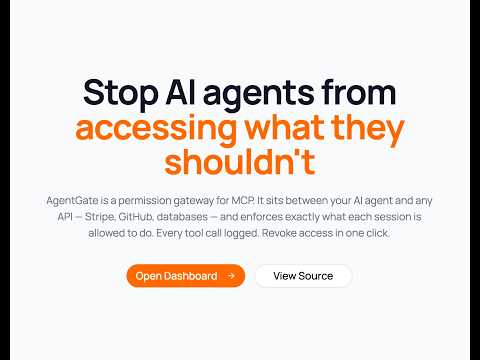
Permission control for AI agents over MCP.
AgentGate is a hosted gateway that sits between AI agents and MCP servers (GitHub, Stripe, Slack, etc.). It enforces per-tool permissions, scans responses for security issues, logs every decision, and lets you revoke access instantly.
The agent never gets the real API key. It only gets a gateway URL.
The Problem
When you give an AI agent a token to GitHub, Stripe, or any service — it gets access to everything that token allows. There's no way to say "read repos but never delete them" or "create refunds but never delete customers."
Real-world incidents:
- An AI agent deleted a production database after finding a long-lived API token (Railway, April 2026)
- 53% of organizations report agents exceeding intended permissions
- 29 million hardcoded secrets found in GitHub commits in 2025 — AI-assisted commits leaking at double the base rate
How AgentGate Works
AI Agent → POST /mcp/:token → AgentGate → checks permissions → Remote MCP Server
                                    │                                     │
                                    │ denied? return error               │
                                    │ allowed? forward request ──────────┘
                                    │                                     │
                                    │◀──────────── response ──────────────┘
                                    │
                                    │ scan response for secrets/injection
                                    │ log decision
                                    │
                                    └──→ return to agent
Step 1 — Add your MCP server
Pick from the catalog (GitHub, Stripe, Slack, Cloudflare) or paste any remote MCP URL. AgentGate calls tools/list and discovers all available tools automatically.
Step 2 — Create a session with permissions
Each session is time-bounded and has its own permission set:
- Default: all tools allowed (same as connecting directly)
- You deny what's dangerous:
delete_customer,fork_repository,push_files - Add path patterns: allow
get_file_contentsbut deny when path matches**/.env*
Step 3 — Give the agent the gateway URL
{
  "mcpServers": {
    "github": {
      "url": "https://your-gateway.com/mcp/SESSION_TOKEN"
    }
  }
}
The agent connects to your gateway, not to GitHub directly. Your gateway forwards allowed calls, blocks denied ones, and logs everything.
Step 4 — Response security scanning (optional)
When enabled, responses from MCP servers are scanned before reaching the agent:
- Leaked secrets: AWS keys, Stripe keys, GitHub tokens, private keys, database URLs
- Prompt injection: hidden instructions in API responses designed to hijack the agent
- PII leakage: bulk emails, SSNs, credit card numbers
- Oversized responses: prevents context window flooding
Step 5 — Monitor and revoke
Watch every decision in the audit log. Revoke a session with one click — agent loses access instantly.
Architecture
┌──────────────────────────────────────────────────────────────┐
│  Dashboard (Next.js)  :3000                                   │
│  - Create agents, add MCP services                            │
│  - Create sessions with per-session permissions               │
│  - Real-time audit log                                        │
│  - Revoke sessions instantly                                  │
└────────────────────────────┬─────────────────────────────────┘
                             │ REST API
┌────────────────────────────▼─────────────────────────────────┐
│  Proxy Service (Express)  :3001                               │
│  - Agents, services, sessions CRUD                            │
│  - Tool permissions storage                                   │
│  - Session JWT management                                     │
│  - Audit log                                                  │
└────────────────────────────┬─────────────────────────────────┘
                             │
┌────────────────────────────▼─────────────────────────────────┐
│  MCP Gateway (Express)  :3003                                 │
│  - Streamable HTTP transport (POST only, stateless)           │
│  - Permission engine (in-process, per-request)                │
│  - Response security scanner                                  │
│  - Tool discovery via tools/list                              │
│  - Forwards to any remote MCP server                          │
└────────────────────────────┬─────────────────────────────────┘
                             │ HTTP forward
┌────────────────────────────▼─────────────────────────────────┐
│  Remote MCP Servers                                           │
│  - GitHub (api.githubcopilot.com/mcp)                         │
│  - Stripe (mcp.stripe.com)                                    │
│  - Slack (mcp.slack.com/mcp)                                  │
│  - Cloudflare (mcp.cloudflare.com)                            │
│  - Any MCP server with a URL                                  │
└──────────────────────────────────────────────────────────────┘
Key Design Decisions
| Decision | Why |
|---|---|
| Pure HTTP proxy — no process spawning | Safe for hosted multi-tenant deployment |
| Streamable HTTP transport | Current MCP spec (March 2025), stateless, serverless-compatible |
| Permissions are per-session | Same agent can have different access in different runs |
| Default: all tools allowed | You only block what's dangerous — manageable even with 200+ tools |
| Path pattern rules (glob) | Allow get_file_contents but deny **/.env* |
| Gateway URL is the only access point | Agent can't bypass — real credentials never leave the server |
Tool discovery via tools/list | Works with any MCP server — no hardcoded registry needed |
| Bi-directional security | Scans both outgoing requests AND incoming responses |
Supported MCP Servers
Any MCP server that supports Streamable HTTP (JSON-RPC over POST):
| Service | URL | Auth |
|---|---|---|
| GitHub | https://api.githubcopilot.com/mcp/ | Bearer PAT |
| Stripe | https://mcp.stripe.com | Bearer restricted key |
| Slack | https://mcp.slack.com/mcp | Bearer bot token |
| Cloudflare | https://mcp.cloudflare.com | OAuth |
| Any custom | Your URL | Your auth |
Getting Started
Prerequisites
- Node.js 20+
- PostgreSQL (or Docker)
- pnpm
Setup
git clone https://github.com/YOUR_USERNAME/agentgate.git
cd agentgate
pnpm install

# Start Postgres
docker run --name agentgate-pg \
  -e POSTGRES_PASSWORD=postgres \
  -e POSTGRES_DB=saas \
  -p 5432:5432 -d postgres:16

# Copy and configure env
cp .env.example .env
# Set POSTGRES_URL and PROXY_SECRET in .env

# Run migrations and seed
pnpm db:migrate
pnpm proxy:migrate
pnpm db:seed  # creates test@test.com / admin123

# Start services
pnpm proxy:dev     # Terminal 1 — :3001
pnpm gateway:dev   # Terminal 2 — :3003
pnpm dev           # Terminal 3 — :3000
Test the flow
- Sign in at
http://localhost:3000/sign-in→test@test.com/admin123 - Create an agent at
/agents - Add a service at
/agents/services(pick GitHub from catalog, enter your PAT) - Create a session at
/agents/sessions— set permissions, get gateway URL - Test with curl:
TOKEN="your_session_token"

# DENIED — tool you blocked
curl -s -X POST "http://localhost:3003/mcp/$TOKEN" \
  -H "Content-Type: application/json" \
  -d '{"jsonrpc":"2.0","id":1,"method":"tools/call","params":{"name":"fork_repository","arguments":{"owner":"facebook","repo":"react"}}}'

# ALLOWED — tool you kept open
curl -s -X POST "http://localhost:3003/mcp/$TOKEN" \
  -H "Content-Type: application/json" \
  -d '{"jsonrpc":"2.0","id":2,"method":"tools/call","params":{"name":"get_file_contents","arguments":{"owner":"octocat","repo":"Hello-World","path":"README"}}}'
- Check audit log at
/agents/audit - Revoke session at
/agents/sessions— retry curl → 401
Security Features
Request-side (outgoing tool calls)
- Per-tool allow/deny per session
- Glob path patterns (deny
**/.env*,**/secrets/**) - Unknown tools allowed by default (configurable)
- Every decision logged with matched rule
Response-side (incoming data) — optional per session
- Secret detection: AWS, Stripe, GitHub tokens, private keys, DB URLs
- Prompt injection detection: role overrides, jailbreak patterns
- PII detection: bulk emails, SSNs, credit cards
- Size limiting: blocks responses over 100KB
- Blocked responses logged in audit
Database Schema
agents              → registered agent identities (scoped to user)
services            → MCP server configs (URL + discovered tools)
sessions            → time-bounded tokens with per-session permissions + response check flag
tool_permissions    → allow/deny rules per tool per session (with optional path patterns)
audit_log           → immutable log of every decision
Phase 2 — Production & Scale
| Area | What's needed |
|---|---|
| Deploy | Host gateway on Fly.io / Railway / AWS as a public service |
| OAuth flows | Handle OAuth for services that need it (Cloudflare, etc.) |
| Credential encryption | Encrypt stored API keys at rest (AES-256 / KMS) |
| Multi-tenant | Team/org support, RBAC for dashboard access |
| Multiple services per session | Route tool calls to different MCP servers |
| Rate limiting | Per-session and per-tool rate limits |
| ML-based response scanning | Integrate LLM Guard for advanced detection |
| Anomaly detection | Alert on unusual access patterns |
| Webhook notifications | Slack/email alerts on denied attempts |
| SDK | Python/TypeScript client for programmatic agent setup |
Tech Stack
- Frontend: Next.js 15, React 19, Tailwind CSS v4, shadcn/ui
- Backend: Express (proxy + gateway), Drizzle ORM, PostgreSQL
- Auth: JWT sessions (jose), bcrypt
- Transport: Streamable HTTP (JSON-RPC 2.0 over POST)
- Security: micromatch for glob patterns, regex-based response scanner
- Package manager: pnpm workspaces
License
MIT
Collected info
- ★ 4 stars
- Language: TypeScript
- Source updated: 7/20/2026
Config for your environment
Replace {MCP_ENDPOINT_URL} with this MCP’s endpoint URL (from its repo or docs above). No API key — you connect directly.
Tool
OS
Config file: ~/.cursor/mcp.json
{
  "mcpServers": {
    "mcp-server": {
      "url": "{MCP_ENDPOINT_URL}"
    }
  }
}Paste into mcpServers in the config file. Restart Cursor after saving.
If this MCP is also published on mcpchannel.ai, you can subscribe from Browse and use the gateway config there instead.